One deposit, from late to paid.
Scroll to play it. Scroll back to rewind. Sample data on the real Producer screens.
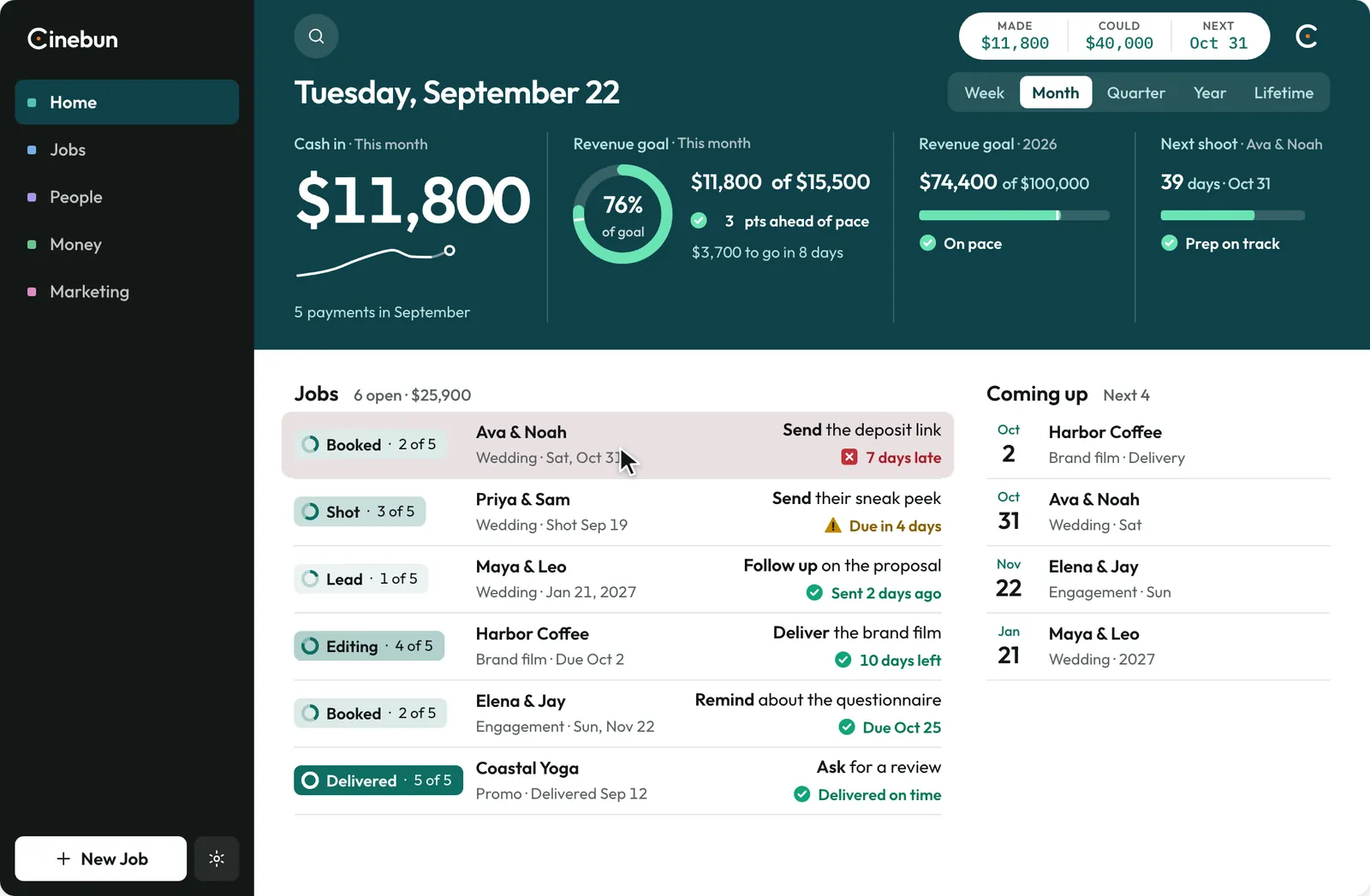
1/8One thing is red.Home shows it before you ask: Ava & Noah’s deposit is 7 days late.
2/8Open the job.Everything about Ava & Noah on one page: the plan, the invoice, the prep.
3/8Send the deposit link.One click. It goes to their client portal.
4/8They pay on their phone.Ava opens the portal and pays the $3,200 deposit.
5/8The payment lands on the job.Nobody types it in. The paid bar fills and the next step moves up.
6/8Home catches up.Cash in counts to $15,000, and September’s ring fills to 97%.
7/8Right-click any figure.Show the goal as a ring, a bar, a number or a trend.
8/8Pick a Look.The Editor: minimal and dark. Same jobs, same data.
- 1. One thing is red.Home shows it before you ask: Ava & Noah’s deposit is 7 days late.
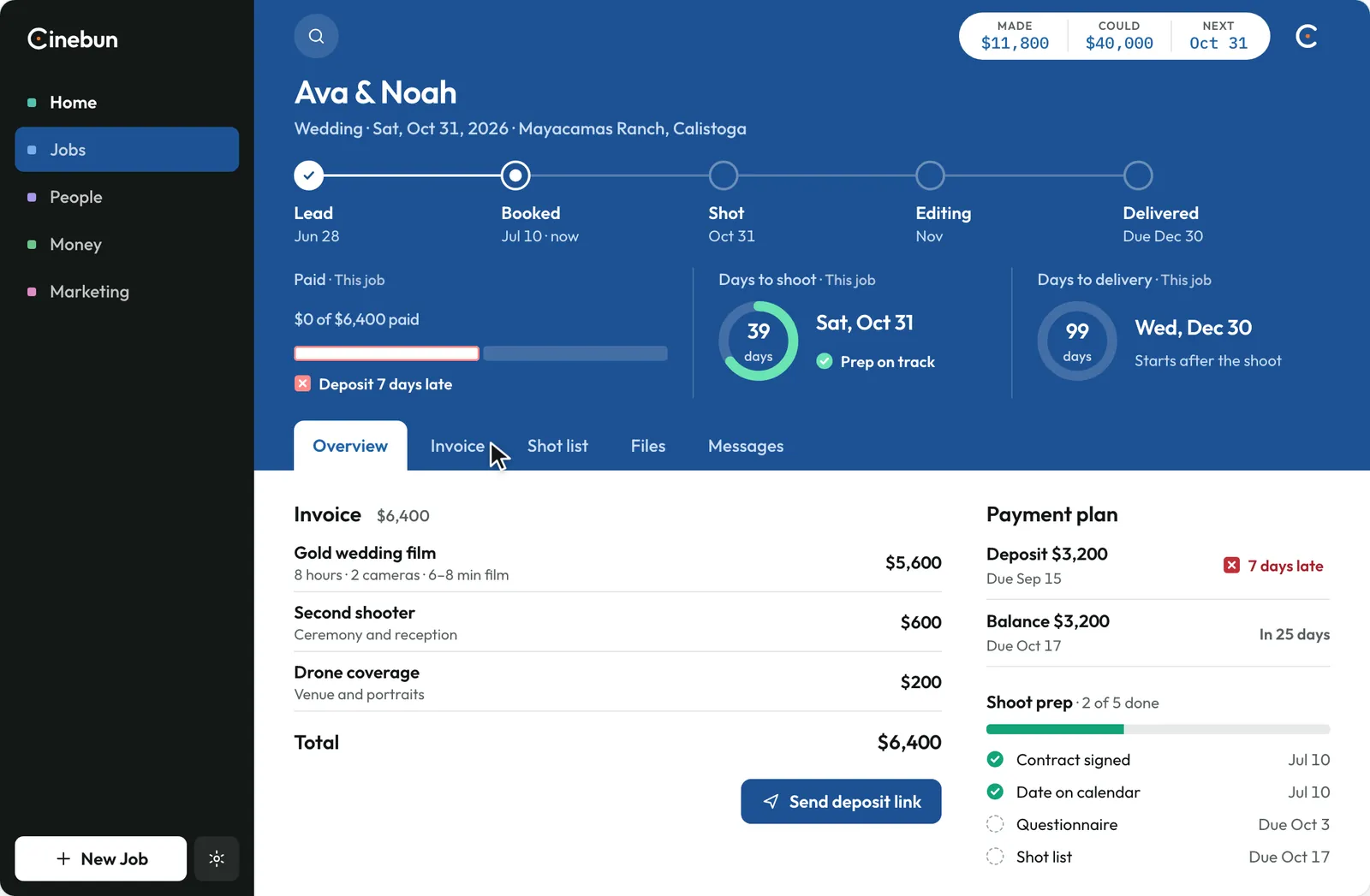 2. Open the job.Everything about Ava & Noah on one page: the plan, the invoice, the prep.
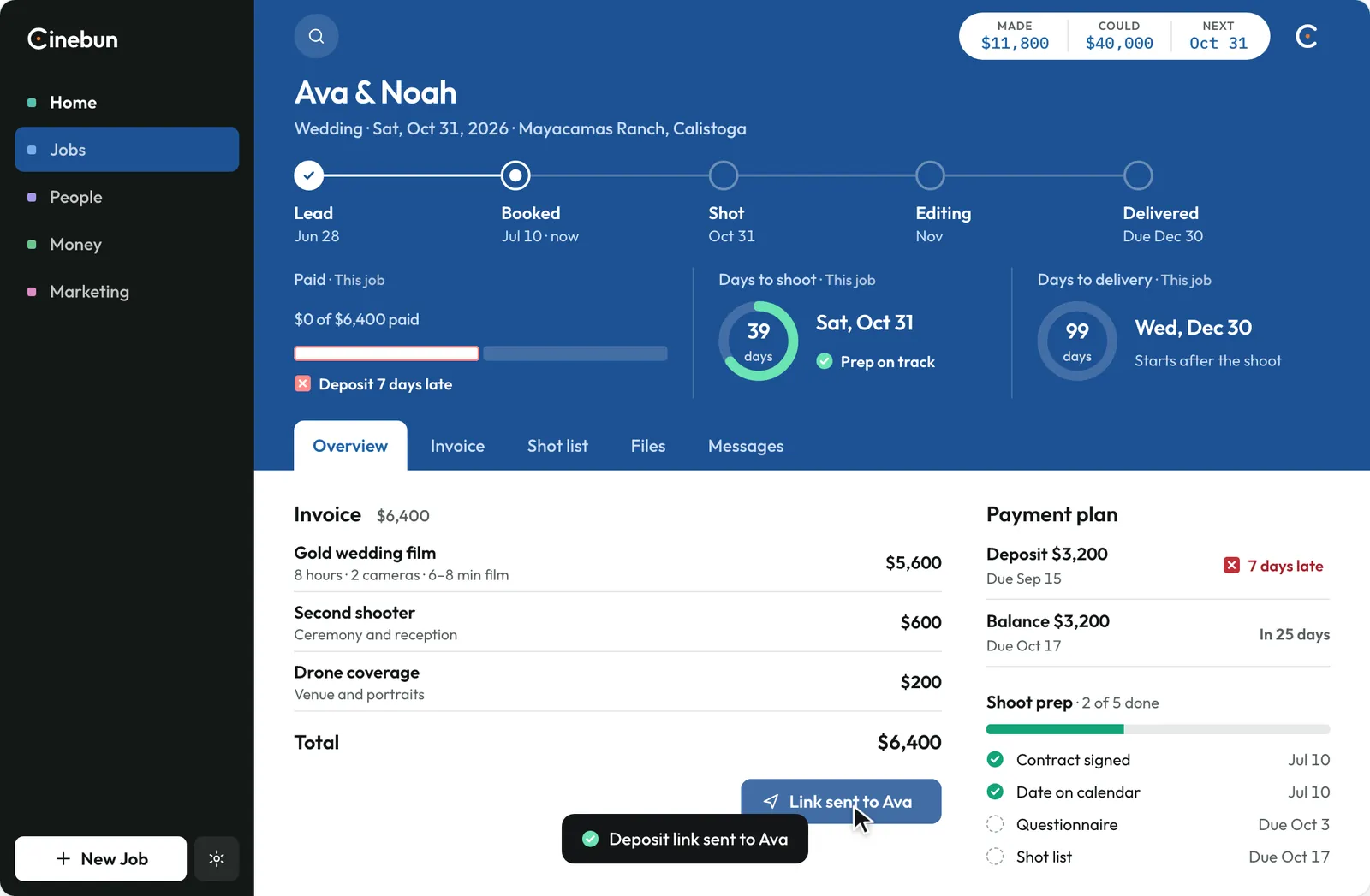 3. Send the deposit link.One click. It goes to their client portal.
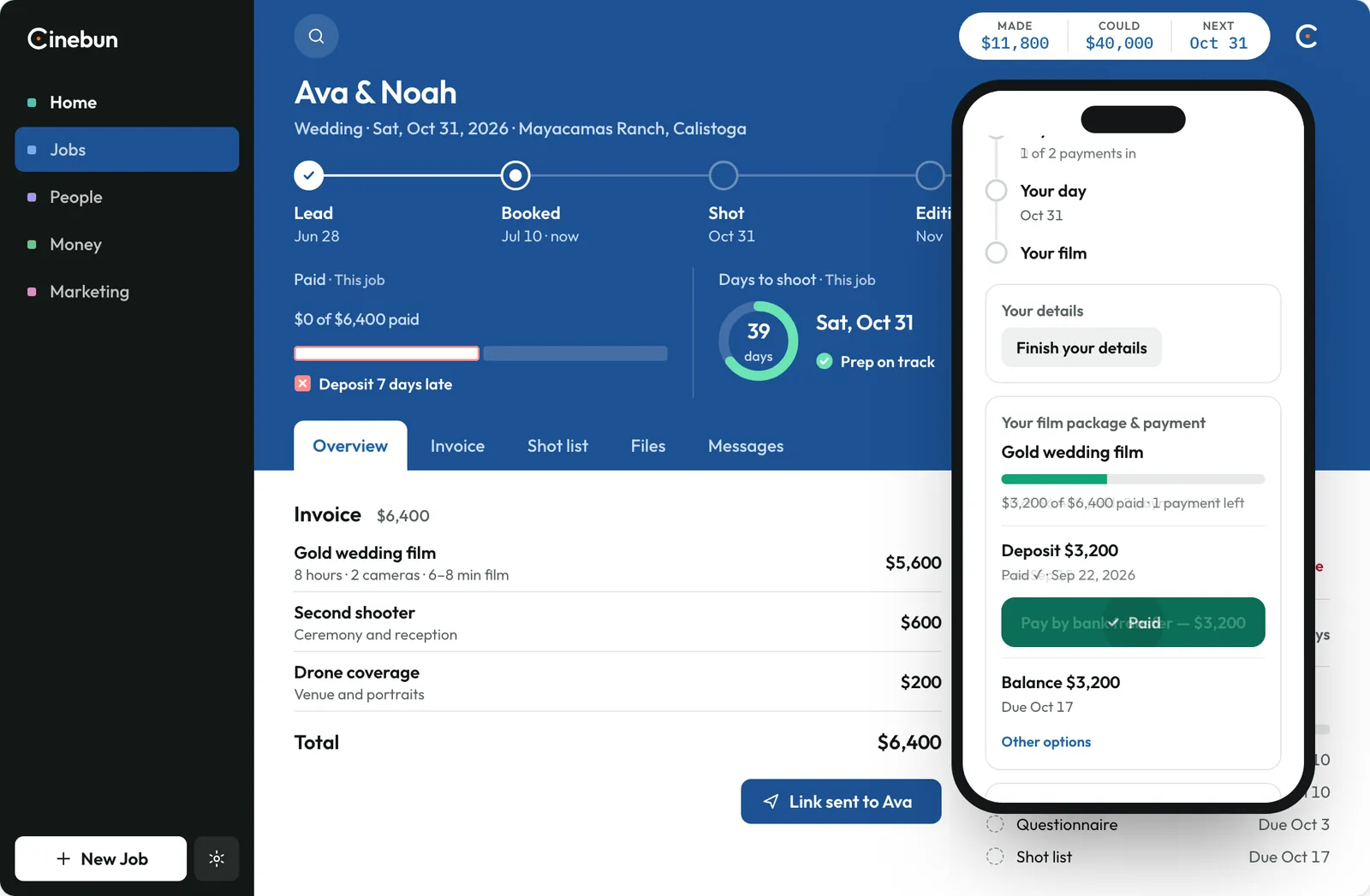 4. They pay on their phone.Ava opens the portal and pays the $3,200 deposit.
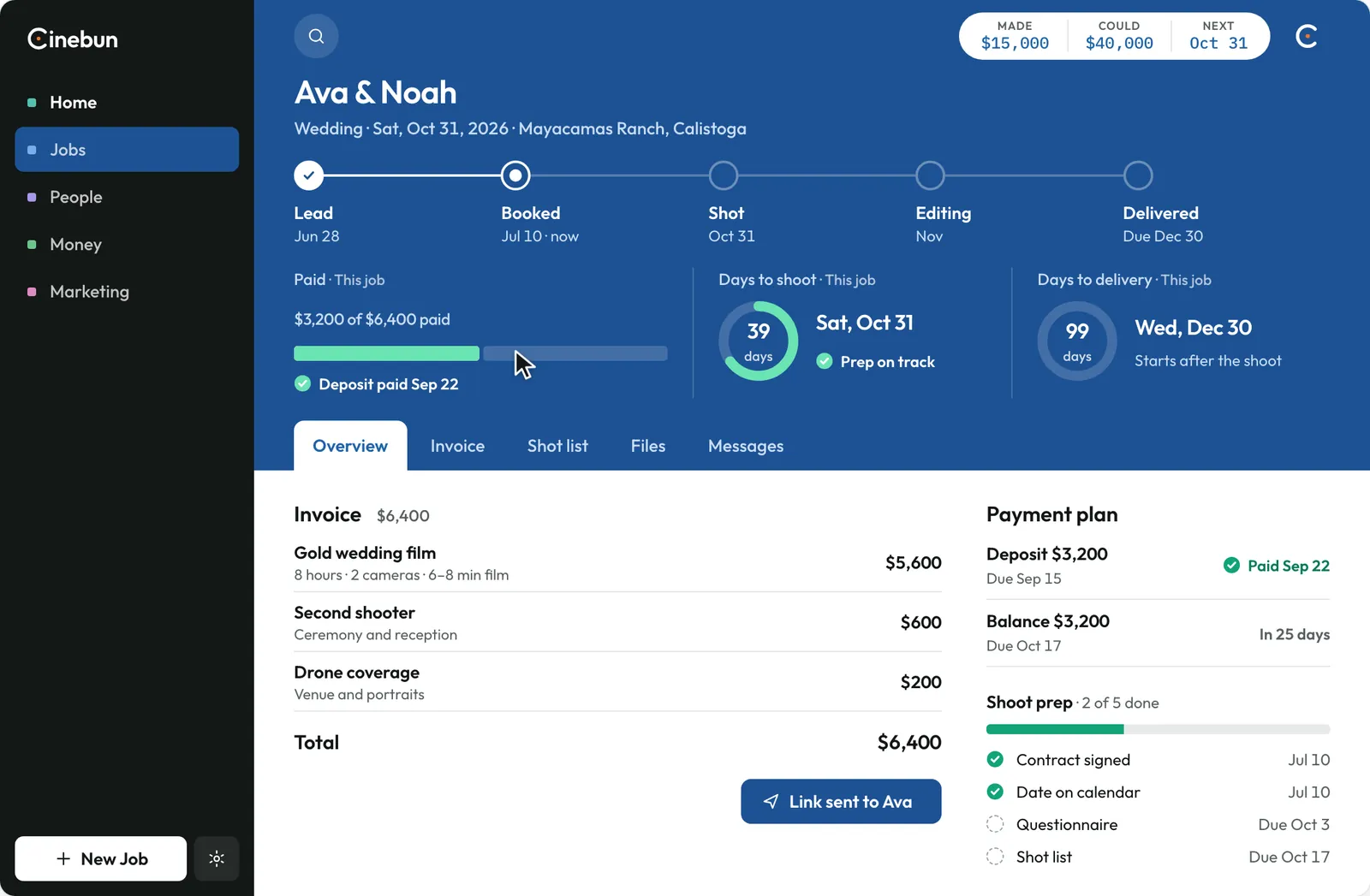 5. The payment lands on the job.Nobody types it in. The paid bar fills and the next step moves up.
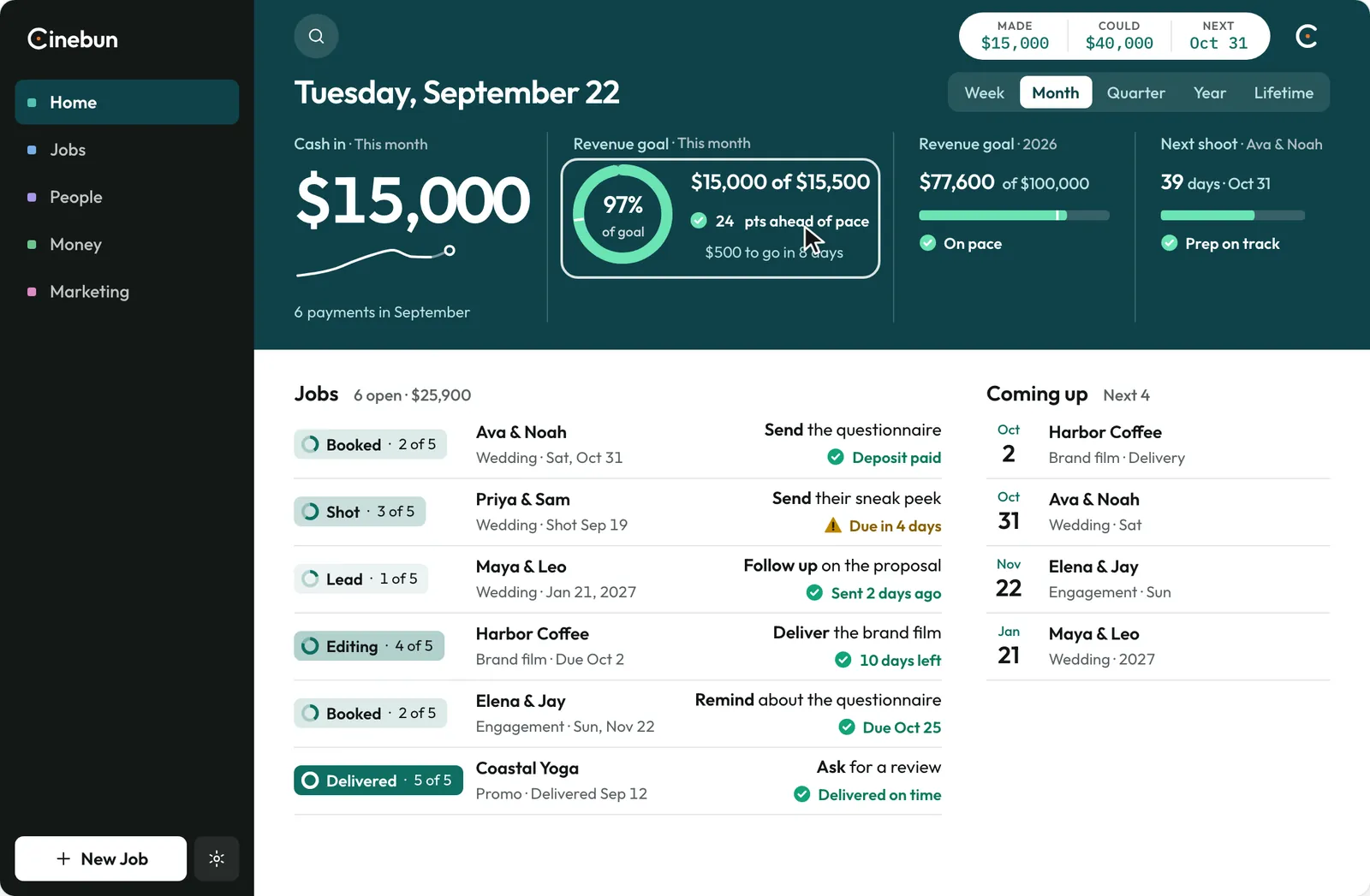 6. Home catches up.Cash in counts to $15,000, and September’s ring fills to 97%.
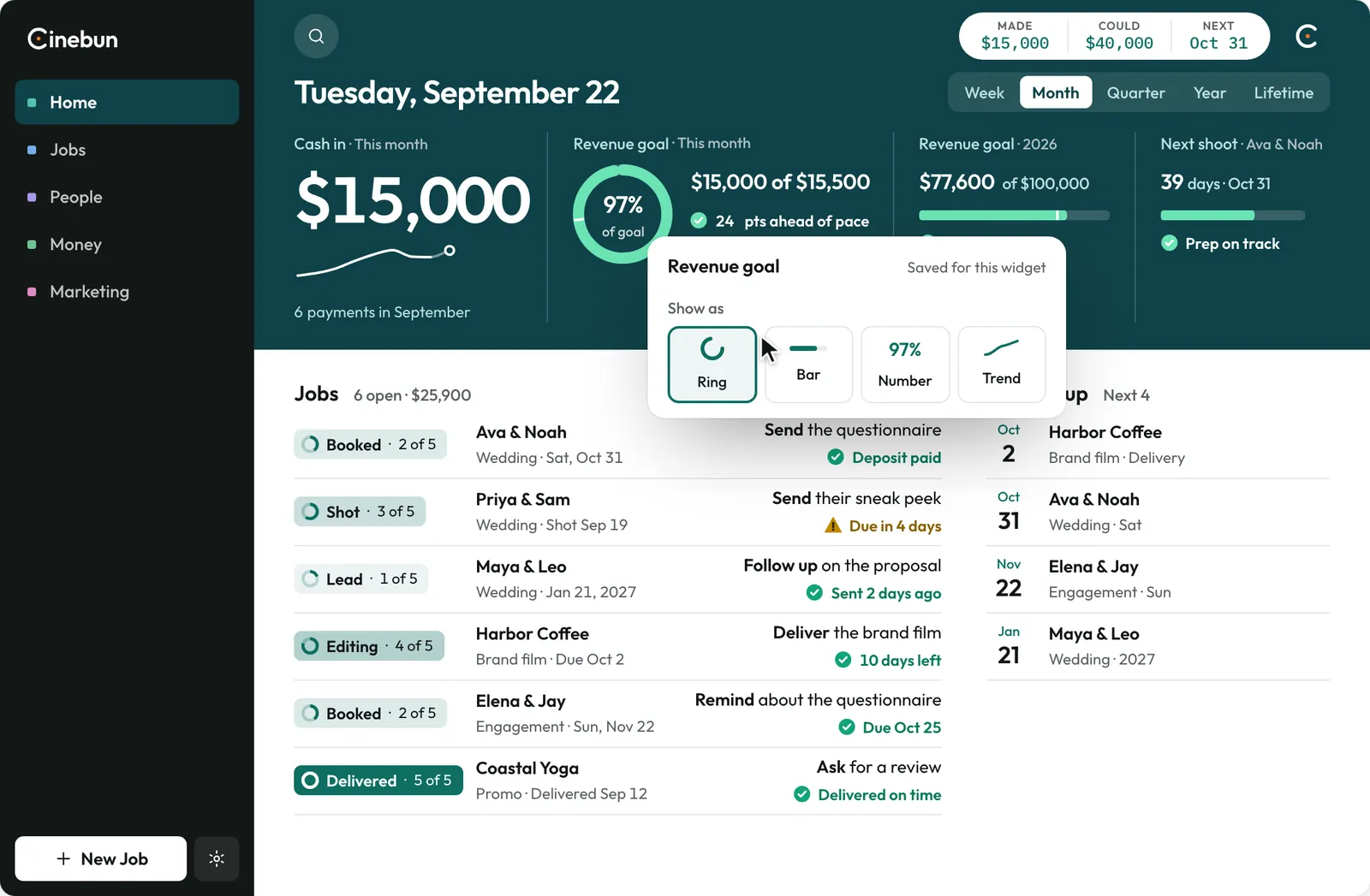 7. Right-click any figure.Show the goal as a ring, a bar, a number or a trend.
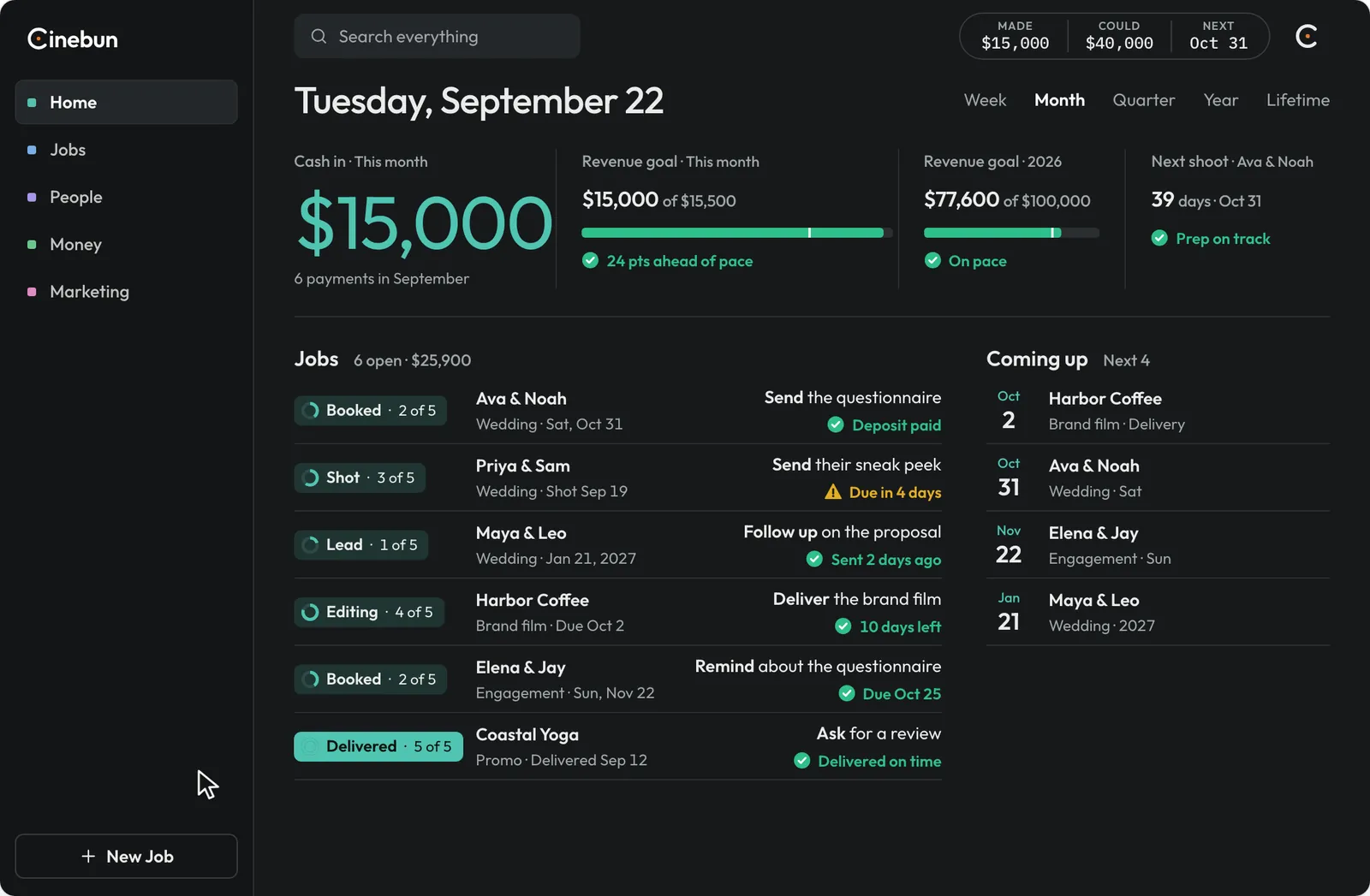 8. Pick a Look.The Editor: minimal and dark. Same jobs, same data.